Video editing can involve long hours at a desk, large project files, and plenty of creative decisions. A useful gift can make one part of that routine easier, whether it supports recording, color work, storage, or everyday organization.
These 18 Christmas gift ideas for video editors range from practical workstation tools to gear for capturing footage outside the studio, with options for different workflows and budgets.
18 Christmas Gift Ideas for Video Editors to Consider in 2026
A More Connected Editing Desk
UGREEN Maxidok Thunderbolt 5 Dock

- Connect displays, drives, and desk peripherals through 17 ports.
- Add a compatible M.2 NVMe SSD for fast external storage.
- A practical upgrade for a laptop-based editing setup.
Best For: Video editors who connect a laptop to drives, displays, and desk peripherals.
A Smoother Timeline Workflow

- Quiet clicks and a precise scroll wheel suit long editing sessions.
- Customize buttons with app-specific profiles.
- Bluetooth connection supports up to three devices.
Best For: Editors who spend long hours navigating timelines and detailed interfaces.
A Clearer Voiceover Setup
Audio-Technica AT2020USB-X Microphone

- Record voiceovers, narration, or calls with a USB microphone.
- Monitor audio directly through its headphone jack.
- Use the touch mute button to silence the mic quickly.
Best For: Editors who record voiceovers, narration, or remote calls.
A Color-Focused Editing Display
ASUS ProArt PA279CRV 27-inch 4K Monitor

- Expand the workspace with a 27-inch 4K display.
- Factory-calibrated color and wide gamut coverage support color work.
- USB-C offers DisplayPort and up to 96W power delivery.
Best For: Editors ready for a larger, color-focused editing display.
A Brighter On-Camera Setup

- Add a dedicated light for desk recordings and video calls.
- Designed to help a camera feed look more professional.
- A useful addition to a creator's home setup.
Best For: Editors who record talking-head clips or join video calls from their desk.
A Studio Staple for Sound Checks
Sony MDR-7506 Professional Headphones

- Closed-ear design helps reduce outside noise while monitoring.
- 40 mm drivers and a 10 Hz to 20 kHz frequency response.
- Folds for storage and includes a soft case.
Best For: Editors who want wired headphones for checking dialogue and sound.
A Customizable Editing Desk
Keychron K8 Pro Mechanical Keyboard

- Remap keys and create macros with QMK and VIA in wired mode.
- Connect to up to three devices over Bluetooth.
- Hot-swappable switches let users customize the typing setup.
Best For: Editors who want a customizable keyboard for work and everyday typing.
Power for Editing on the Go

- 24,000mAh capacity offers portable power for compatible gear.
- 140W charging supports laptops and phones with the right setup.
- The display shows charging power and estimated recharge time.
Best For: Editors who work from different locations or travel with editing gear.
Rugged Space for Project Files
Samsung T7 Shield Portable SSD 2TB
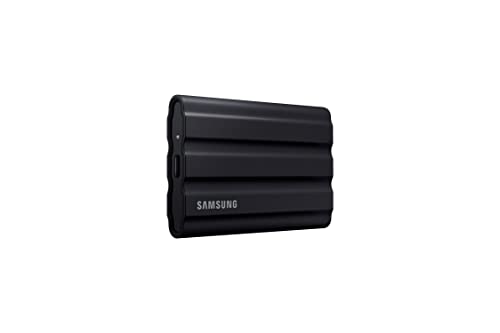
- Keep footage and project files on a portable 2TB SSD.
- Read speeds reach up to 1,050 MB/s over USB 3.2 Gen 2.
- IP65 rating and drop resistance suit travel between locations.
Best For: Video editors who need fast, rugged storage for footage and project files.
One-Touch Editing Shortcuts

- Set up 15 customizable keys for apps and actions.
- Use hotkeys to streamline film-editing workflows.
- Visual feedback shows when a command has been triggered.
Best For: Editors who want quick access to macros, apps, and repetitive commands.
Steadier Smartphone Footage
DJI Osmo Mobile 7P Smartphone Gimbal

- Three-axis stabilization helps steady phone video.
- Built-in extension rod and tripod support varied shots.
- The multifunction module adds tracking and lighting features.
Best For: Editors who shoot casual video on a smartphone.
A Compact Kit-Carry Gift

- Carry a small camera kit, tech, or daily essentials in 6 liters.
- FlexFold dividers help organize gear and accessories.
- Wear it crossbody or around the waist.
Best For: Editors who carry a small camera kit, drives, and accessories between locations.
A New Angle on Video

- Capture 360-degree video in up to 8K and reframe it later.
- FlowState stabilization and Horizon Lock help smooth footage.
- The bundle includes an invisible selfie stick and extra battery.
Best For: Editors who enjoy experimenting with unusual footage and reframing options.
Fast Media for Camera Work
SanDisk Extreme PRO 512GB SDXC Card

- 512GB capacity gives compatible cameras room for video files.
- V90 and U3 ratings support video recording on compatible devices.
- The card is designed to resist shock, temperature, water, and X-rays.
Best For: Editors who also film and need reliable camera media.
A Tidier Microphone Setup
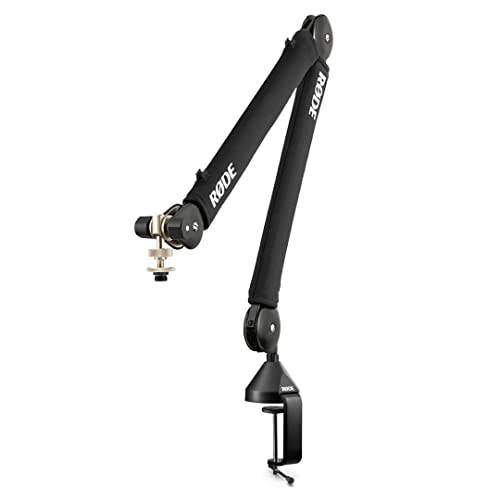
- Clamp it to a desk up to 70 mm thick.
- Move a compatible microphone with 360-degree rotation.
- Internal cable management keeps the setup tidy.
Best For: Editors with a desk microphone who want a tidier recording setup.
A Better-Lit Editing Desk
BenQ ScreenBar Halo 2 Monitor Light

- Adjustable front light illuminates the desk without screen glare.
- Set brightness and color temperature with the wireless controller.
- The monitor-mounted design saves desk space.
Best For: Editors working at a desk late into the evening.
Christmas Gift Ideas for Video Editors: How to Choose the Right Gift
Christmas gift ideas for video editors work best when they match the way someone creates. Some editors spend most of their time cutting footage at a desk; others record interviews, make videos for social platforms, or travel to capture material. Start by thinking about the recipient’s current setup and the part of the process they talk about most. A gift that fits an existing routine is more likely to be useful than a piece of gear that requires a complete workflow change.
Match the Gift to the Editing Workflow
For desk-based editing, consider tools that support a connected, organized workspace. A docking station, monitor, calibration device, keyboard, mouse, or monitor light may suit someone who works across several apps or spends much of the day in front of a screen. If they record voiceovers or appear on camera, a microphone, boom arm, lighting option, or headphones could fit their setup.
Editors who film on location may appreciate portable storage, a memory card, a power bank, a camera accessory, or a compact bag. A controller with customizable keys may appeal to someone who likes assigning shortcuts to editing or production tasks. Check what they already own before choosing: compatibility, available ports, device type, and preferred editing platform can all affect whether a gift fits.
Budget Considerations for Gifts for Video Editors
Set a comfortable spending limit first, then compare products that solve a similar problem. Gifts for video editors can range from smaller everyday accessories to major workstation upgrades, so a thoughtful choice does not have to be the most expensive one. A practical accessory may complement equipment they already use, while a larger purchase may make sense when you know their setup and needs well.
For a shared gift, ask other family members to contribute toward a single item the recipient has mentioned. If you are shopping independently, look for a category where you understand their preferences. A storage accessory, desk tool, or portable filming item can be easier to choose than a core piece of equipment that depends heavily on personal workflow. Before buying, confirm that the listed connections and supported devices match what the recipient uses.
Personalization Tips for Christmas Gifts for Video Editors
Personalization can come from choosing a gift for a specific use, rather than adding festive styling. Think about whether the recipient edits at home, works between locations, records audio, or captures their own footage. A portable item may suit someone who moves between projects, while a desk upgrade may be a better fit for someone with a dedicated editing station.
You can also make the gift feel personal with a short note explaining why you chose it: perhaps they mentioned needing more storage space or wanting to improve a recording setup. If you are unsure about a specialized item, ask what model or connection they need without revealing the exact gift. For equipment with compatibility requirements, checking those details is a considerate part of choosing well.
Last-Minute Buying Advice
When time is short, choose from a product category you already understand and verify the listing details before placing an order. Check the recipient’s device and operating system, the connections they have available, and whether the gift is meant for a desk or travel setup. For products with accessories or setup requirements, review what is included and what may need to be purchased separately.
A familiar, practical gift can be a strong last-minute choice when it fits the recipient’s routine. If you cannot confirm compatibility, consider a more general accessory from the available gift options or ask someone close to the recipient for guidance. Keep the focus on their work: the best Christmas gift ideas for video editors are useful in the editing, recording, or filming process long after the holiday season ends.